ERP Software Guide: Features, Types, and Business Uses
Businesses often manage multiple activities at the same time, including accounting, purchasing, inventory, production, sales, human resources, and customer service. When each department uses separate systems, information can become scattered, reports may be inconsistent, and employees may spend unnecessary time entering the same data more than once. Enterprise resource planning (ERP) software helps address these challenges by bringing important business processes together in a coordinated system.
ERP software provides a shared environment for collecting, processing, and managing business information. Depending on the system, employees can use it to monitor inventory, record financial transactions, plan production, manage orders, and review operational performance.
Understanding ERP software is useful for business owners, managers, IT professionals, and students who want to learn how organizations coordinate their activities. However, ERP is not simply an accounting application or a reporting dashboard. It connects processes, information, and workflows so that different departments can work with more consistent data.
What Is ERP Software?
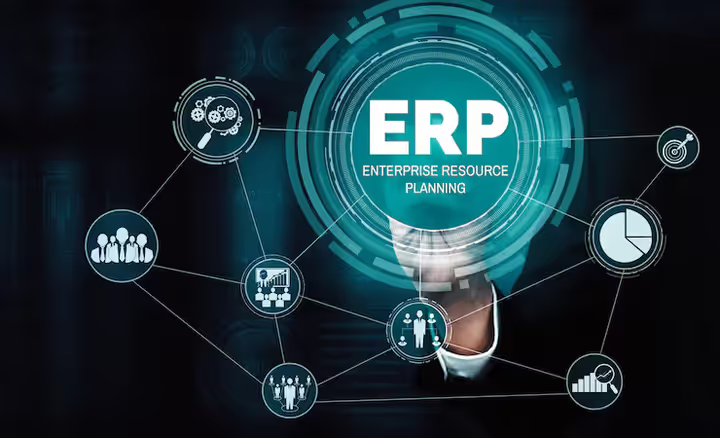
ERP software is a business management system that integrates several organizational functions into a common platform. ERP stands for enterprise resource planning, a term that describes the coordination of resources, information, and processes across an organization.
For example, when a company receives a customer order, an ERP system may connect the sales process with inventory availability, purchasing requirements, warehouse operations, shipping, and invoicing. Instead of maintaining separate records for every department, the system can update related information according to configured business rules.
The exact capabilities depend on the software, its modules, and the organization's implementation. Some ERP platforms support a broad range of departments, while others focus on specific industries or operational requirements.
ERP systems may be used by manufacturers, distributors, retailers, construction companies, healthcare organizations, and service businesses. Their purpose is to improve coordination and provide a more complete view of business activity.
How Does an ERP System Work?
An ERP system generally works through shared data, connected modules, and defined workflows. Each department records or processes information relevant to its responsibilities, while authorized users can access related information when needed.
Consider a manufacturing company that receives an order for a particular product. The sales team records the order, and the system checks available inventory. If the required quantity is not available, production planning may identify the need to manufacture additional units. That requirement can then influence raw material purchasing, scheduling, labor planning, and delivery dates.
As the order progresses, relevant departments update their records. The finance team can use the resulting transaction information for invoicing and accounting, while managers can review order status and operational performance.
This connected approach reduces the need to transfer information manually between unrelated applications. However, reliable results depend on accurate data entry, suitable system configuration, user training, and clearly defined responsibilities.
Common Types of ERP Software
Cloud-Based ERP
Cloud ERP is hosted on infrastructure managed by a software provider or cloud service arrangement and accessed through an internet connection. The provider may handle infrastructure maintenance, software updates, backups, and other technical responsibilities according to the service agreement.
Cloud systems can support employees working from different locations and may reduce the need for businesses to maintain extensive on-site server infrastructure. Organizations should still assess internet availability, data protection, access controls, service continuity, and the provider's responsibilities.
On-Premises ERP
On-premises ERP is installed and operated on an organization's own infrastructure or within an environment it directly controls. This approach can provide greater direct control over certain technical configurations, data environments, and internal IT policies.
However, the organization typically takes responsibility for more aspects of infrastructure maintenance, security, upgrades, backups, and technical support. The suitability of this model depends on available IT expertise, regulatory requirements, and operational priorities.
Hybrid ERP
Hybrid ERP combines cloud-based and on-premises components. A business might retain a specialized internal system while using cloud applications for selected departments or locations.
This approach can support organizations that need to preserve existing infrastructure while modernizing particular operations. However, integrating systems requires careful planning, especially when information must move securely and consistently between platforms.
Essential ERP Software Features
ERP software includes different features depending on its purpose and configuration.
Financial management supports general ledger accounting, accounts payable, accounts receivable, budgeting, financial reporting, and transaction tracking. Integrating finance with other departments can help organizations understand the financial impact of purchasing, sales, and operational activities.
Inventory and warehouse management helps track stock quantities, product movements, storage locations, receipts, and dispatches. Depending on the system, businesses may also manage reorder rules, batch numbers, serial numbers, and inventory valuation.
Procurement management supports purchasing requests, supplier records, purchase orders, approvals, and receipt tracking. Connecting procurement with inventory and production planning can help teams identify material requirements more accurately.
Human resource management may include employee records, attendance, leave administration, payroll integration, recruitment workflows, and workforce planning. Available features differ considerably between ERP platforms.
Production planning is especially important for manufacturers. It can support bills of materials, production schedules, material requirements planning, work orders, and resource allocation. These functions help coordinate production activities with available materials and customer demand.
Reporting and analytics transform operational records into reports, dashboards, and performance indicators. Managers can use these tools to examine trends, monitor business activity, and identify areas requiring attention.
Customer and order management may connect customer records, quotations, orders, delivery processes, and billing. Some ERP systems include these functions directly, while others integrate with separate customer relationship management software.
Benefits of ERP Software for Businesses
One major benefit of ERP software is improved information consistency. When departments work with connected records, employees can spend less time reconciling conflicting spreadsheets or searching for information across separate applications.
ERP systems can also improve process visibility. Managers may be able to track orders, inventory, purchasing activity, production status, and financial performance through a coordinated view of operations.
Automation is another potential advantage. Routine tasks such as approval routing, document generation, transaction posting, and notifications can be automated when the system supports them and the workflows are configured correctly.
Better coordination can support planning as well. For example, linking sales forecasts with inventory and procurement records may help businesses identify potential shortages before they affect production.
Nevertheless, ERP software does not automatically eliminate errors or guarantee higher productivity. Poor data quality, complicated workflows, insufficient training, and unsuitable configurations can reduce its value. The benefits depend on how well the system fits the organization and how effectively employees use it.
How to Choose the Right ERP Software
Selecting ERP software begins with understanding the organization's actual requirements. Businesses should identify which processes need improvement, which systems must be integrated, and what information managers need for daily decisions.
Industry suitability is important. A manufacturer may require production scheduling and material planning, while a distributor may prioritize warehouse operations, purchasing, and order fulfillment. A service company may focus more heavily on project management, employee utilization, and financial reporting.
Scalability should also be considered. The system should support expected changes in users, transaction volumes, business locations, and operational complexity without creating unnecessary technical difficulties.
Integration capabilities are equally important. Organizations may need ERP software to exchange information with e-commerce platforms, payroll applications, customer relationship management systems, banking tools, or specialized industry software.
Other considerations include user experience, reporting flexibility, data migration, implementation support, security controls, backup procedures, and ongoing maintenance responsibilities.
Before making a decision, businesses should evaluate realistic workflows through demonstrations or pilot projects. Involving employees from finance, operations, purchasing, and IT can help identify practical requirements that may otherwise be overlooked.
ERP Implementation and Common Challenges
Implementing ERP software requires preparation beyond installing an application. Organizations need to review existing processes, clean their data, define responsibilities, configure workflows, and plan how employees will transition to the new system.
Data migration can be particularly challenging when records are incomplete, duplicated, or stored in inconsistent formats. Cleaning and validating information before migration helps reduce errors in the new environment.
Another challenge is employee adoption. Staff members may be accustomed to existing tools or may find unfamiliar workflows difficult at first. Clear communication, role-specific training, and access to support can make the transition more manageable.
Integration with older applications may also require additional technical work. Businesses should identify dependencies early and establish a realistic implementation schedule.
A phased rollout can help organizations test important functions before expanding the system across the entire business. After implementation, regular reviews can identify configuration problems, training needs, and opportunities to improve workflows.
ERP Software Security and Data Management
ERP systems often contain sensitive financial, employee, supplier, customer, and operational information. Protecting this information requires appropriate technical controls and sound internal procedures.
Organizations should use role-based access so employees can view or modify only the information necessary for their responsibilities. Multi-factor authentication, secure data transmission, regular updates, activity logging, and tested backups can strengthen protection.
Businesses should also understand where their data is stored, how it is backed up, what happens during service interruptions, and how information can be recovered or exported if the system changes.
Security responsibilities are shared between the software provider and the organization, although the exact division depends on the deployment model and service agreement. Regular access reviews and employee awareness training remain important regardless of the system selected.